Tag what matters
Add the sensitive tag to tickets that should be monitored — billing, VIP, compliance, escalations, whatever your team calls them.
Access Monitor logs ticket views for the conversations that matter — VIP accounts, billing issues, escalations, compliance-sensitive requests — and leaves a short internal note when a rule fires.
No full audit logging program required. No Zendesk Advanced Security add-on. Just lightweight visibility on the tickets where it actually counts.
Free plan available. Pro from $2.00 per agent per month.
Overview
Support teams deal with billing disputes, VIP accounts, trust and safety escalations, and compliance-sensitive conversations every day. When someone asks "who looked at that ticket?" — you want an answer that doesn't require a 30-minute audit.
Access Monitor tags the tickets you care about, then logs a short internal note when a matching view happens. That's it. No new dashboard. No separate system.
Add the sensitive tag to tickets that should be monitored — billing, VIP, compliance, escalations, whatever your team calls them.
When a monitored ticket is opened, Access Monitor logs a short internal note, adds a tag, and appends a structured entry to the View Log field.
Ticket events and the View Log field give you a readable record without flooding the conversation thread.
Screenshots
Access Monitor runs in the ticket sidebar and admin panel. Nothing new for agents to learn. The logs show up right on the ticket.
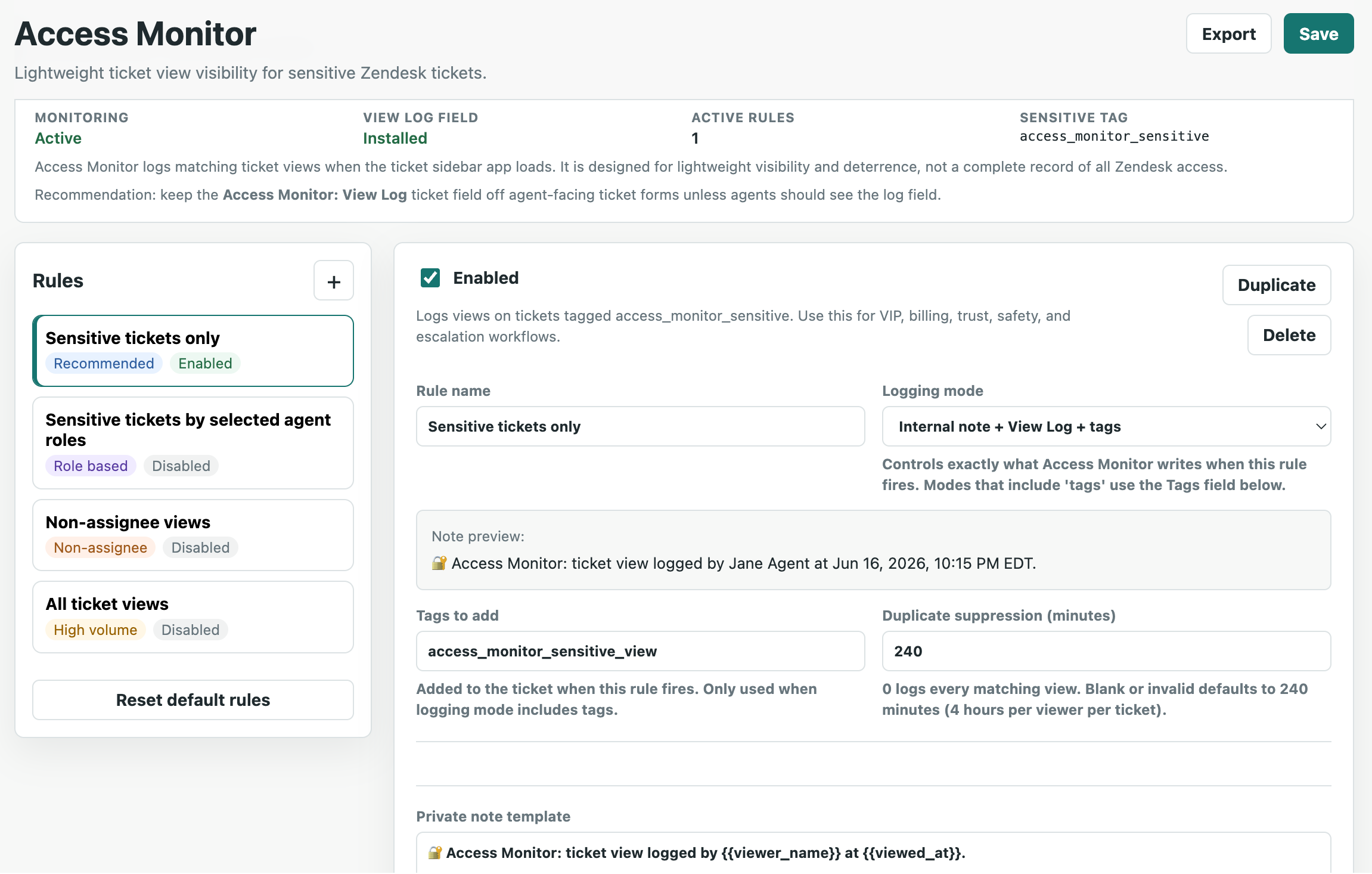
Configure monitoring rules for sensitive ticket tags, agent roles, and non-assignee views — all from the Zendesk admin panel.
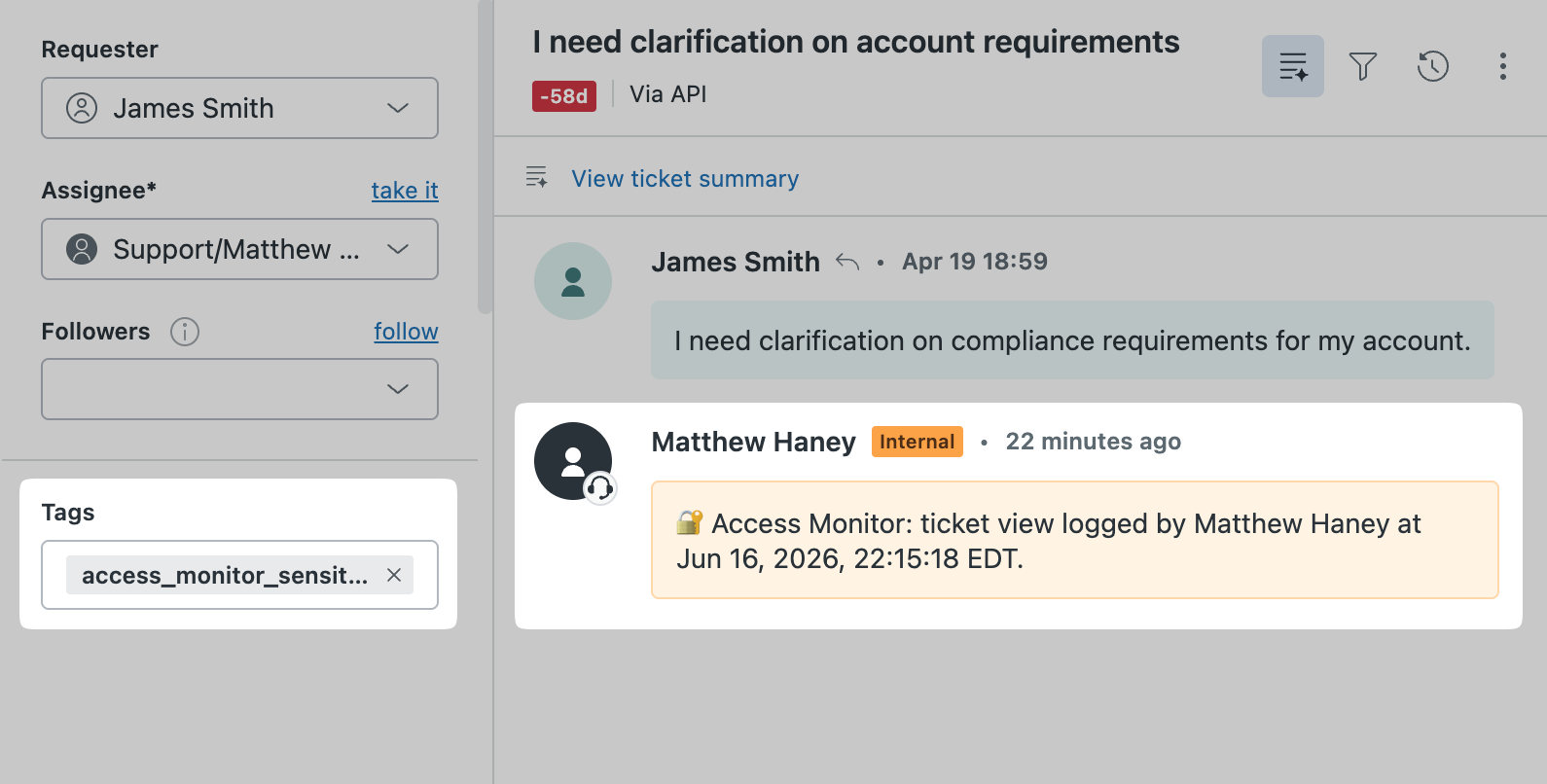
A short internal note is added when a rule fires — enough context to know what happened without cluttering the conversation.
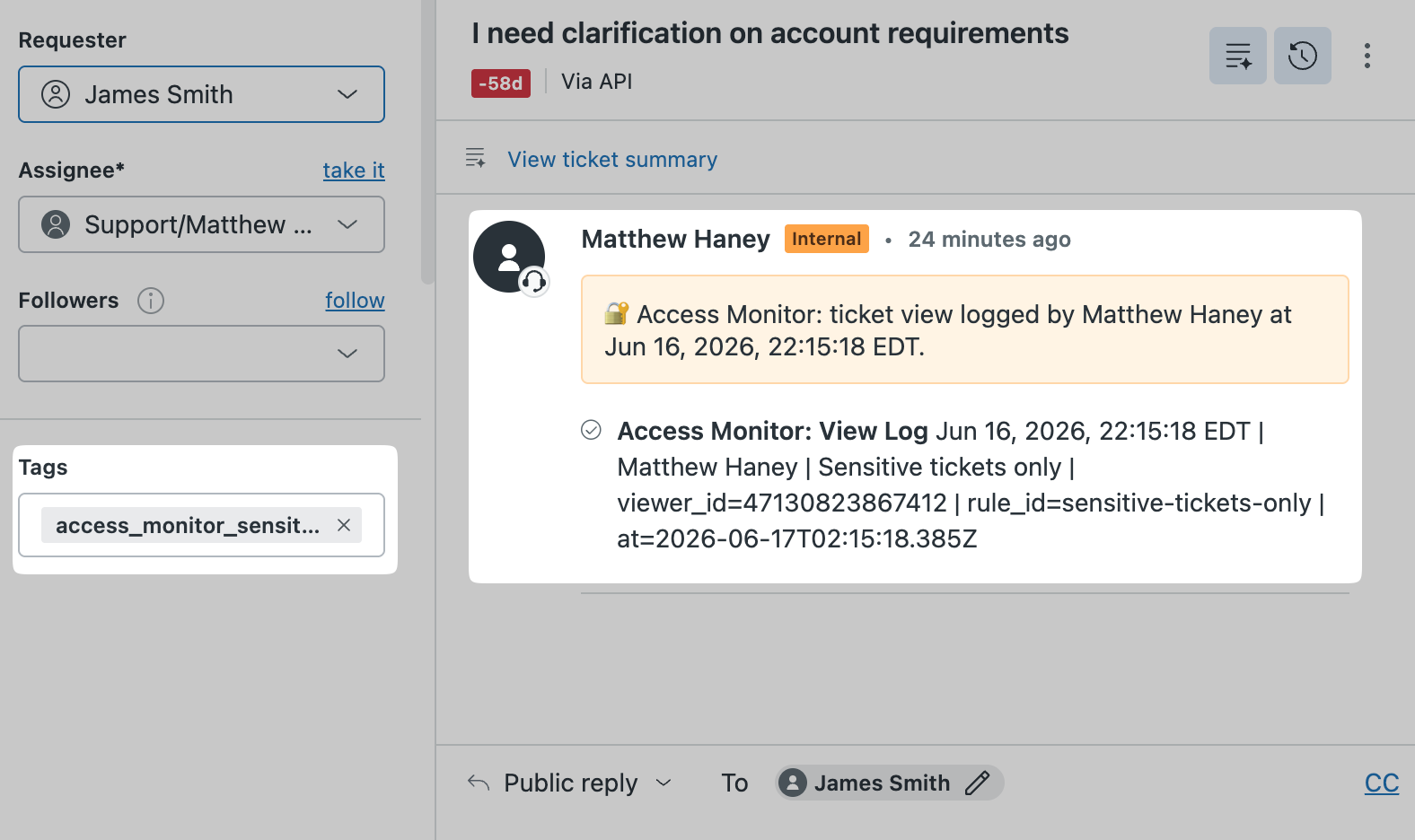
The View Log ticket field stores structured entries you can reference, export, or use in Zendesk reporting.
Who it's for
You don't need enterprise-grade access logging for every ticket. You need it for the ones that matter. Access Monitor gives you that without the overhead.
Fintechs, healthtechs, and marketplaces that need a lightweight access trail on sensitive support conversations without a full audit logging program.
Teams where a manager or legal team has asked "can we see who looked at that ticket?" and the honest answer right now is no.
Accounts where visibility matters — executive escalations, high-value customers, trust and safety cases — where you want a record without making it obvious to agents.
Features
Set it up once, configure the rules, and it runs in the background. Logs appear on the ticket. No separate tool to check.
Any ticket tagged with your configured sensitive tag triggers view logging automatically.
Log views only when certain agent roles open a monitored ticket — useful for flagging admin access to frontline tickets.
Log when someone other than the assigned agent opens a monitored ticket.
Configurable suppression window so the same viewer doesn't generate a new note every time they refresh.
Structured log entries stored on the ticket — exportable, reportable, and available in Zendesk Explore.
Move rule configuration between Zendesk accounts without rebuilding from scratch.
Pricing
Lite covers the basics with a single default rule. Pro adds the controls teams need once they're monitoring more than one kind of sensitive ticket.
Free
Monitor sensitive tickets with a single default rule.
$2.00 / agent / month
14-day free trial. For teams monitoring more than one kind of sensitive ticket.
Questions about fit, volume, or a monitoring setup you want to talk through before installing.
Get in touchFull feature breakdown and setup details are in the documentation.
Honest about limits
Access Monitor logs ticket views when the sidebar app loads and a configured rule matches. It is not a complete record of every Zendesk access event and is not a replacement for Zendesk native access logs or enterprise-grade audit logging.
It is good enough for teams that need lightweight visibility on sensitive tickets. It is not the right tool for teams with strict regulatory audit requirements that need tamper-proof logging.
Access Monitor does not sell customer data, use customer data for advertising, or share customer data with unauthorized third parties.