1. Create the rollout
Name the change, label the control and treatment groups, choose the split, and decide which tickets are eligible.
Rollout Control lets support teams test workflow changes on a percentage of new tickets before enabling them account-wide.
Use it when you want to introduce a new AI flow, routing rule, escalation path, intake process, or support workflow without finding out the hard way that something broke at scale.
Rollout Control is built and currently in development while the Marketplace authorization path is finalized.
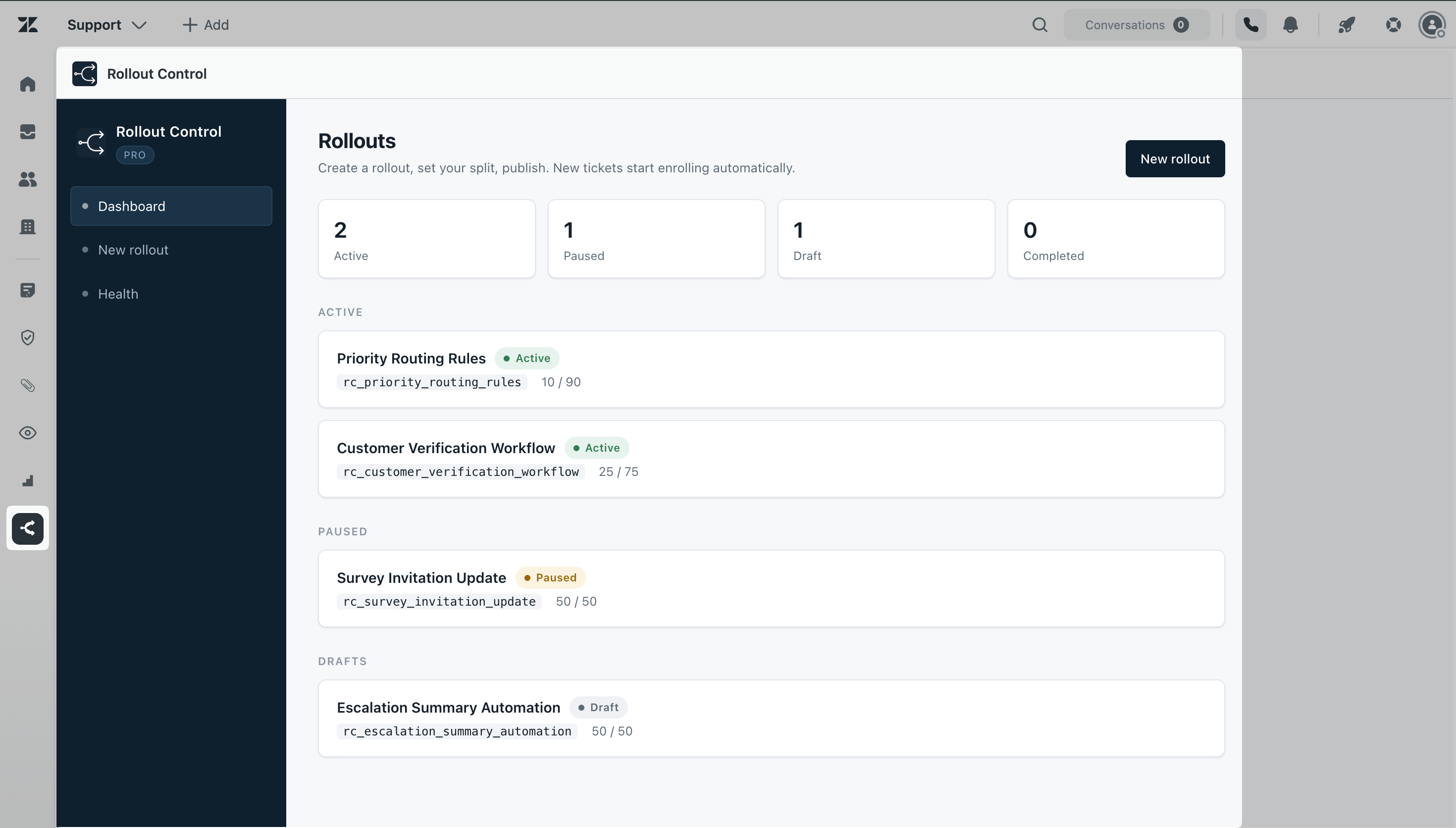
Problem
Support teams make changes all the time: a new bot handoff, a different routing path, a new escalation process, a new intake form, or a new internal workflow.
The problem is that those changes often go live for every customer before the team knows how they perform.
Rollout Control gives Zendesk admins a middle step. Start small, watch what happens, then increase the rollout when the change is ready.
How it works
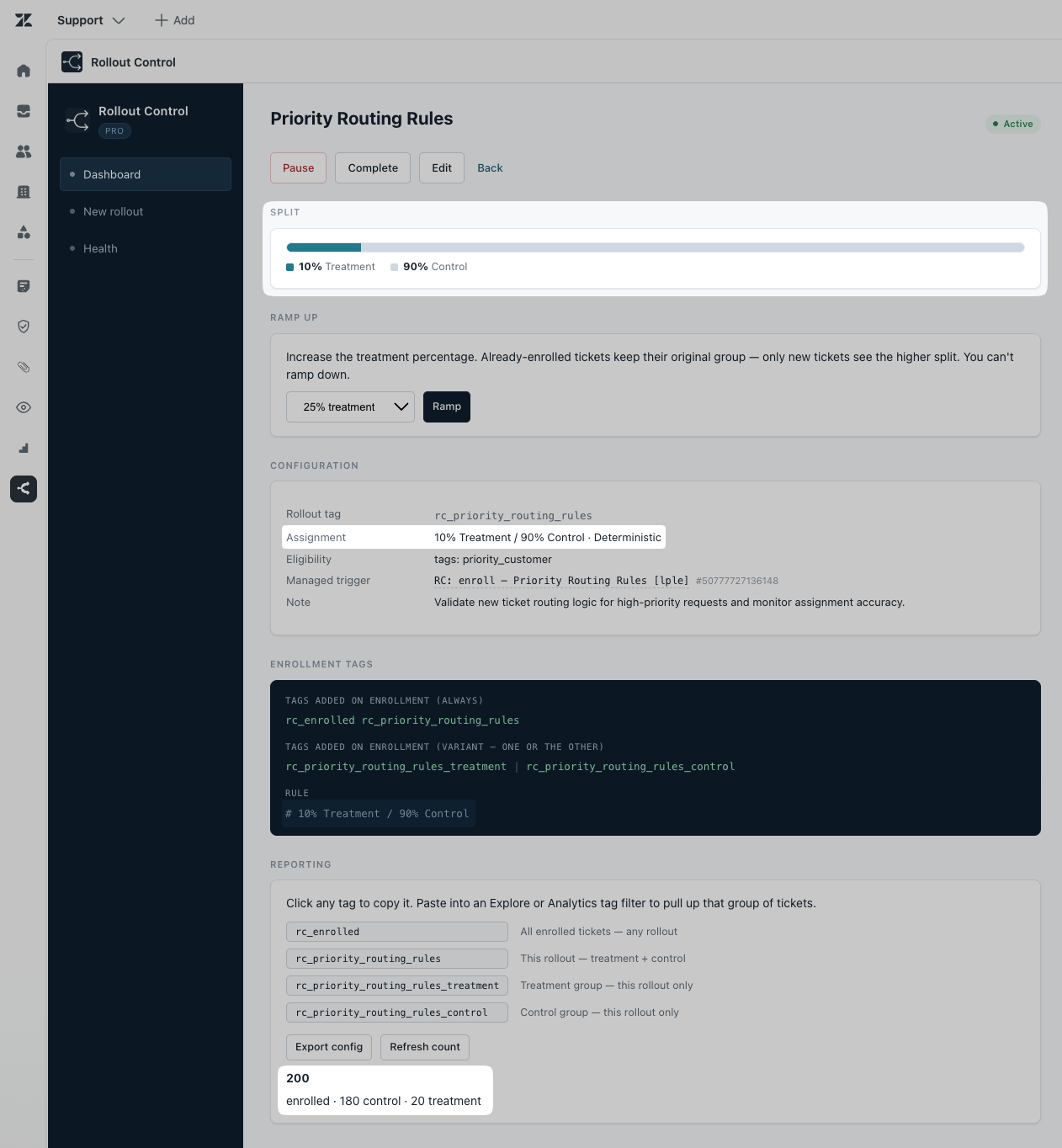
Rollout Control runs inside Zendesk. No external backend, no separate reporting database, and no new system for your team to manage.
Name the change, label the control and treatment groups, choose the split, and decide which tickets are eligible.
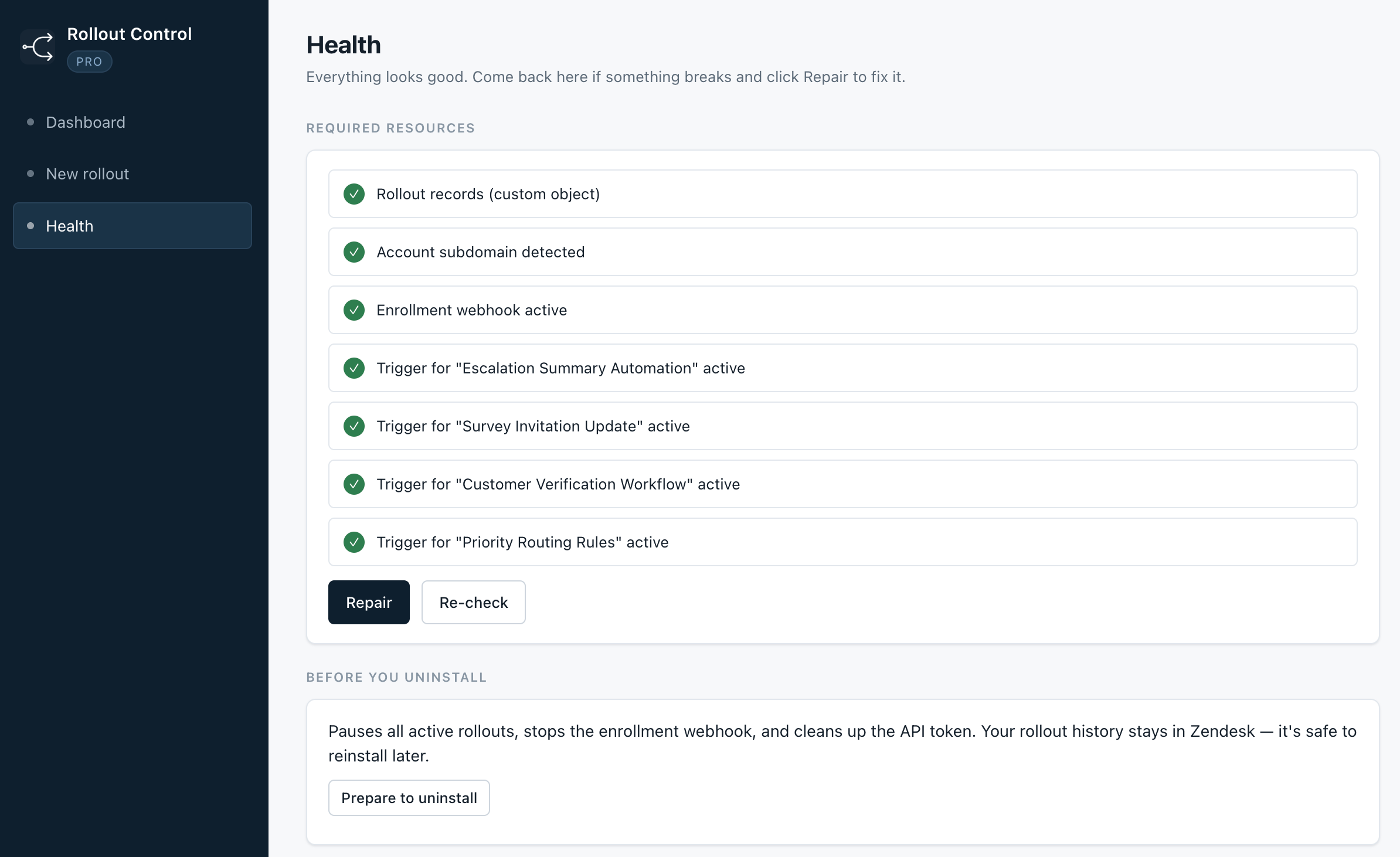
Rollout Control creates the Zendesk trigger and webhook needed to enroll new eligible tickets automatically.
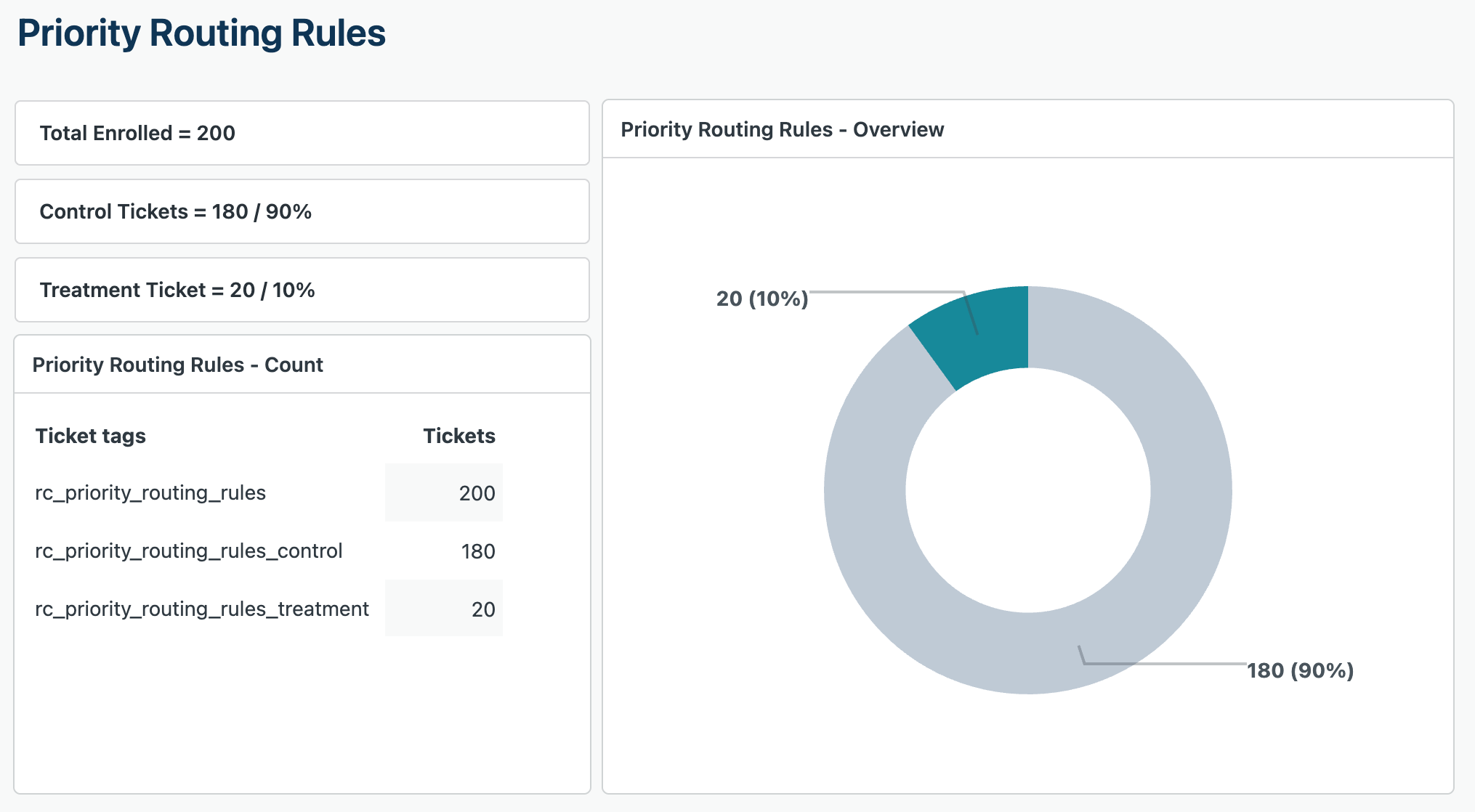
Each enrolled ticket gets clear tags, so you can filter control and treatment groups in Zendesk Explore or other reporting.
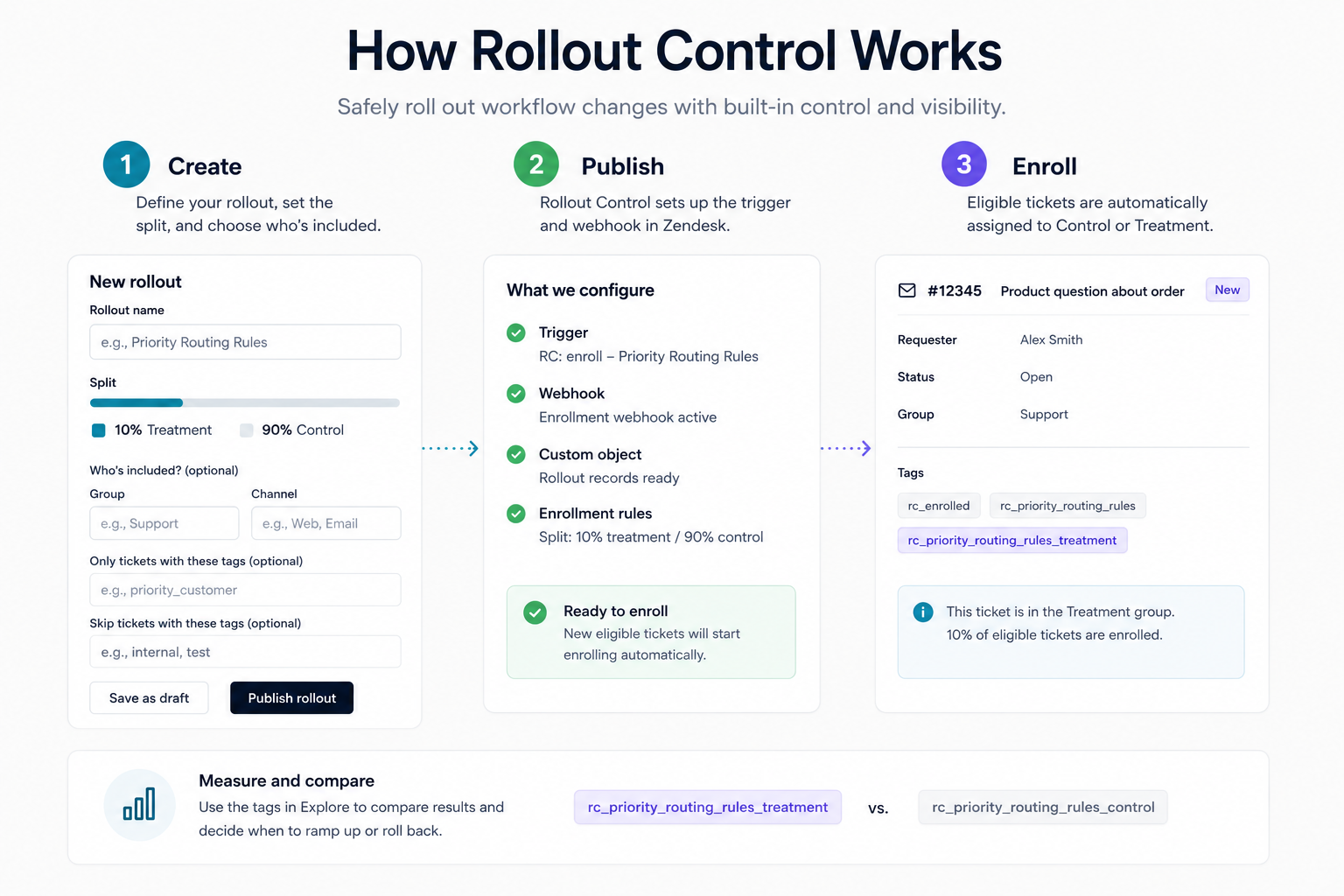
Use cases
Rollout Control is built for practical support operations work — the kind where a small mistake can turn into a messy day for agents, customers, and managers.
Test a new AI response, summary, or bot handoff path on a small percentage of tickets first.
Try new assignment logic without sending every eligible ticket through the new path on day one.
Compare survey timing, wording, or follow-up logic before changing the experience for all customers.
Roll out a new escalation process to a controlled group before asking the whole support team to adopt it.
Test a new form or intake path with selected brands, groups, channels, or ticket tags.
Validate changes to internal timing, ownership, or handoff behavior before going account-wide.
Ticket data
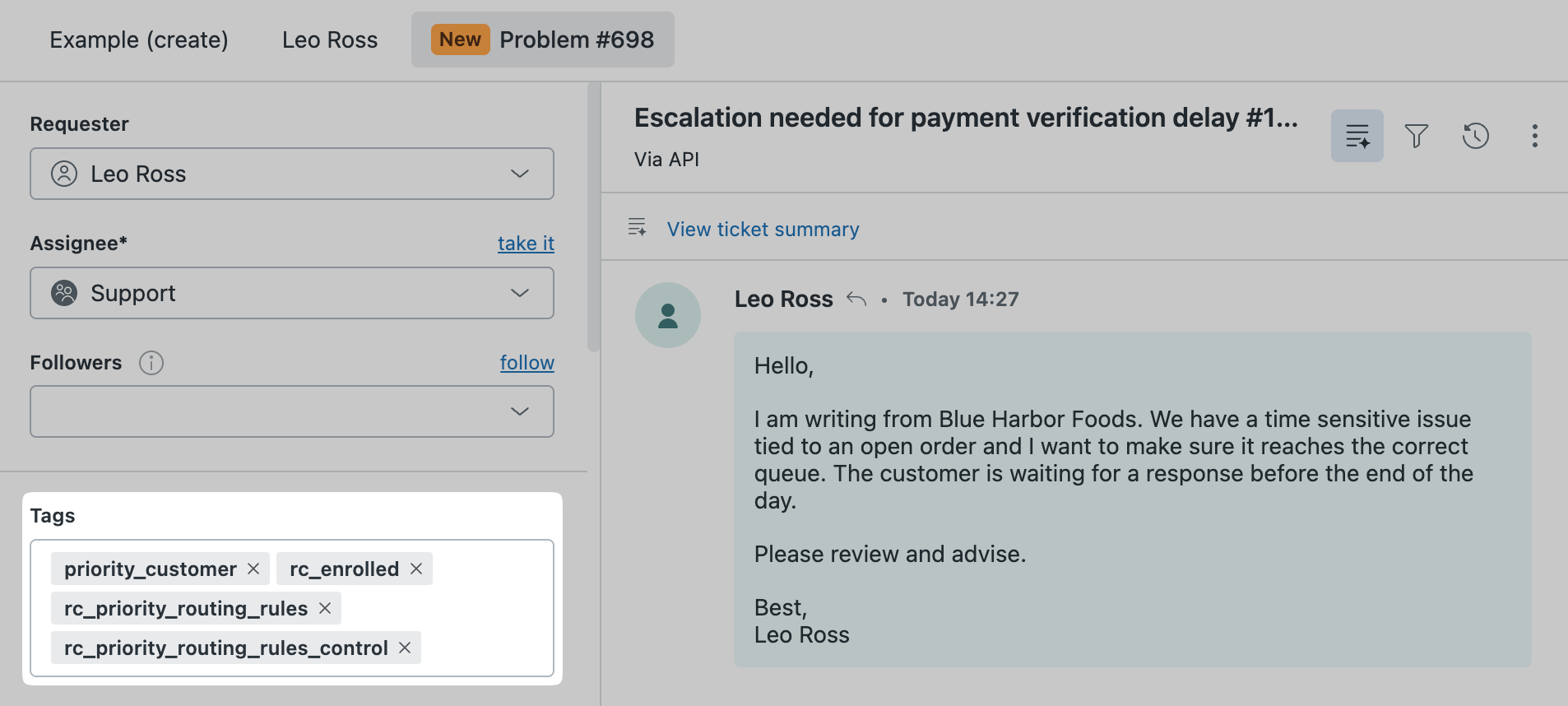
Rollout Control adds a consistent set of tags to every enrolled ticket. Each ticket gets the general enrollment tag, a rollout-specific tag based on the rollout name, and one assignment tag for either control or treatment.
The tags stay on the ticket, which makes the rollout visible in Zendesk Explore and keeps the history available even after the rollout is paused or completed.
Features
The goal is simple: help admins make changes carefully without adding another external system to operate.
Choose how many new eligible tickets receive the treatment version.
Start small, then increase the treatment percentage when the change looks ready.
Limit rollouts by brand, group, form, channel, required tags, or excluded tags.
Pause new enrollments without changing tickets that were already assigned.
Copy rollout tags directly from the app and use them in Zendesk Explore filters.
Check required resources, repair setup issues, and prepare the app safely before uninstalling.
Reporting
Because Rollout Control writes clear tags to enrolled tickets, your team can compare treatment and control groups in Zendesk Explore using the reporting tools you already have.
Filter by rollout tag, then compare treatment and control tags to monitor volume, outcomes, or operational performance.
Zendesk-native
Rollout Control stores rollout configuration in Zendesk custom objects and uses Zendesk triggers and webhooks to enroll tickets inside your own account.
ASA Labs does not receive or store your ticket data. The app is designed for teams that want operational control without adding another vendor-hosted data layer.
Status
Rollout Control is fully built and currently in development while the Zendesk Marketplace authorization path is finalized. There's no install link yet because there's no listing yet.
Read the docs to see how it works, or reach out and I'll let you know as soon as it's live.
Contact
Have a question about Rollout Control or another ASA Labs app? Send a note and we'll get back to you within one business day.
Prefer email? hello@asa-labs.com