PII Shield Documentation
PII Shield helps Zendesk teams find, review, and redact sensitive customer information before it spreads through support workflows, reporting, integrations, or AI tools.
Installation
Install PII Shield from the Zendesk Marketplace and authorize the app in your Zendesk account.
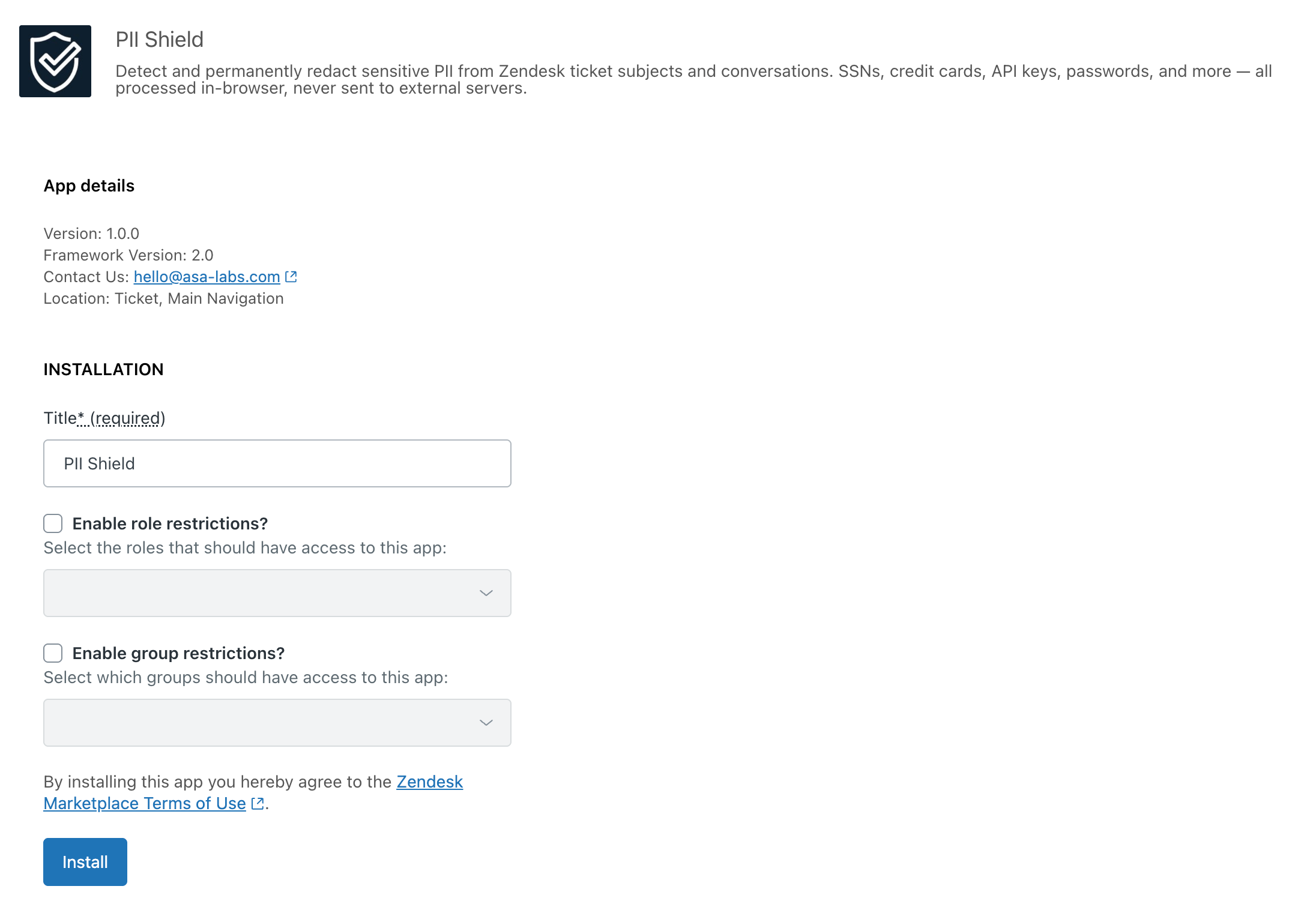
PII Shield installs directly in Zendesk. No external accounts, infrastructure, or API keys are required.
Quick Start
- Open PII Shield Admin from Zendesk.
- Choose a preset or review the default detector settings.
- Confirm ticket tagging and solve blocking settings.
- Open a test ticket with sample sensitive data.
- Run a scan and verify the redaction workflow.
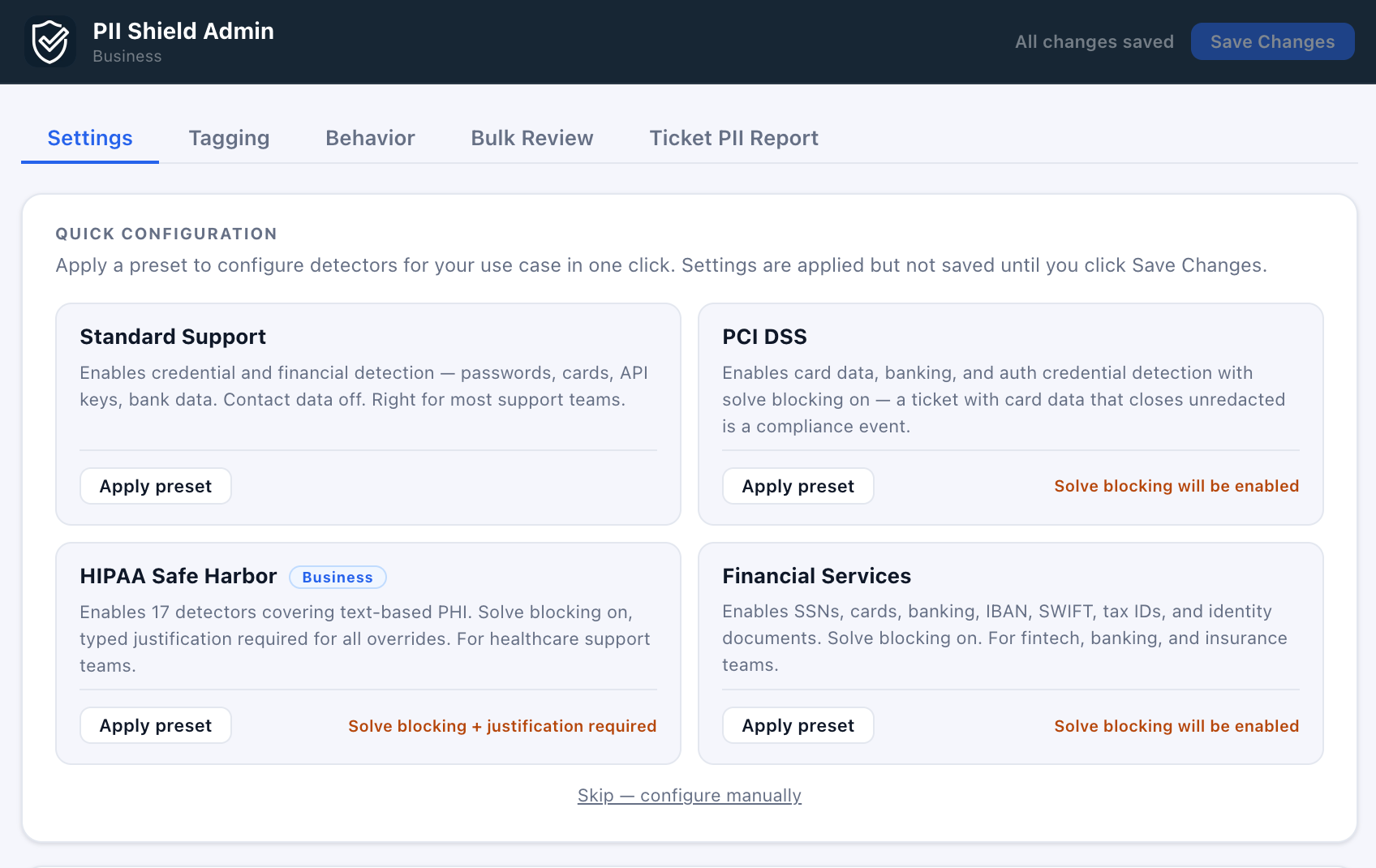
Apply a recommended configuration in one click or customize detector settings manually.
Detectors
PII Shield includes detectors for common categories of sensitive information, including:
- Social Security Numbers
- Credit cards
- Bank accounts and routing numbers
- Passwords
- API keys and access tokens
- Driver's licenses and passports
- Healthcare, financial, and government identifiers
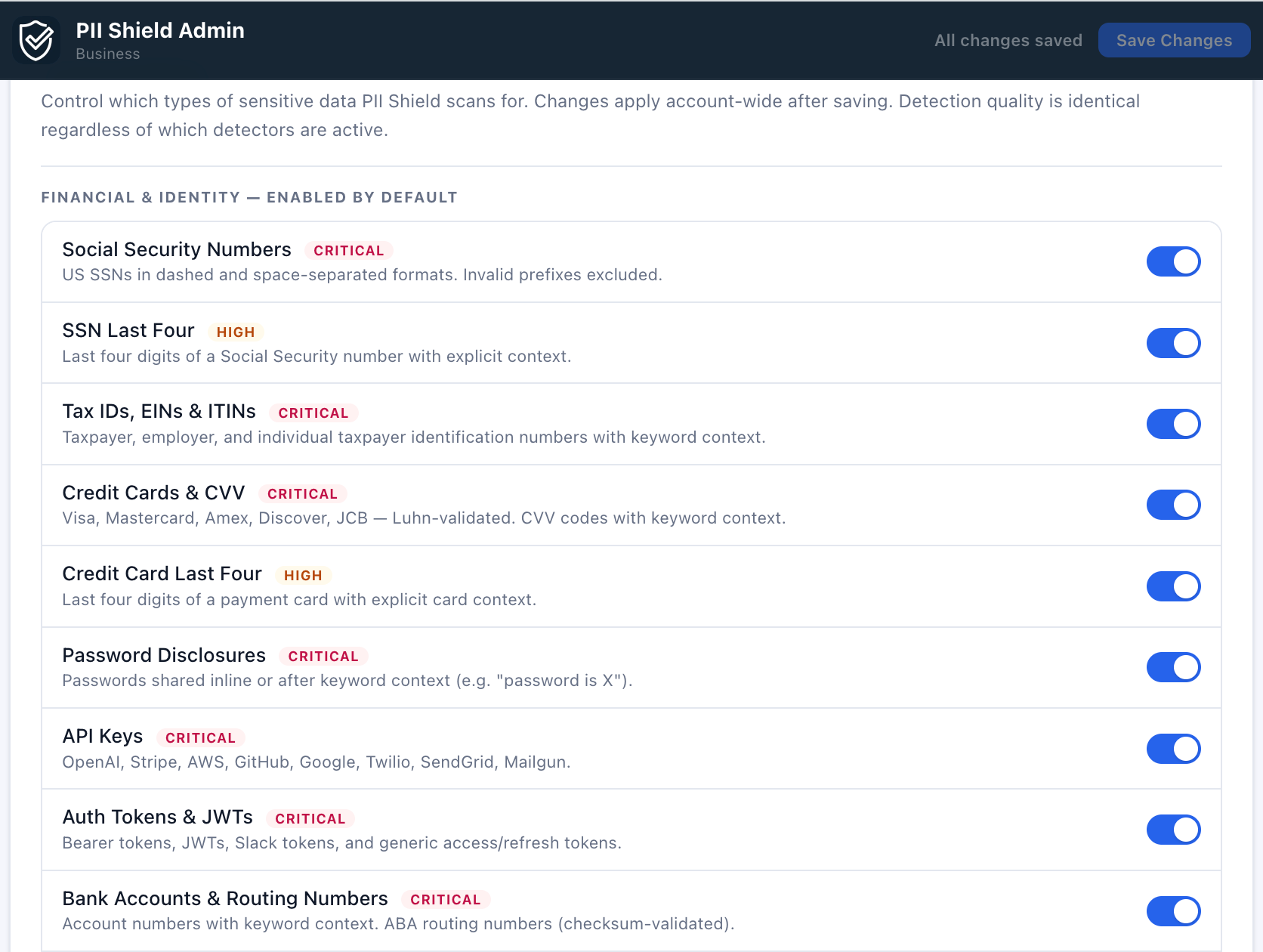
Admins can choose which categories of sensitive information PII Shield scans for.
Ticket Tags
PII Shield can apply Zendesk tags when sensitive information is detected or redacted.
pii_shield_detectedpii_shield_redacted- Optional type-specific tags
Tags can be used in Zendesk views, triggers, reporting, or follow-up workflows.
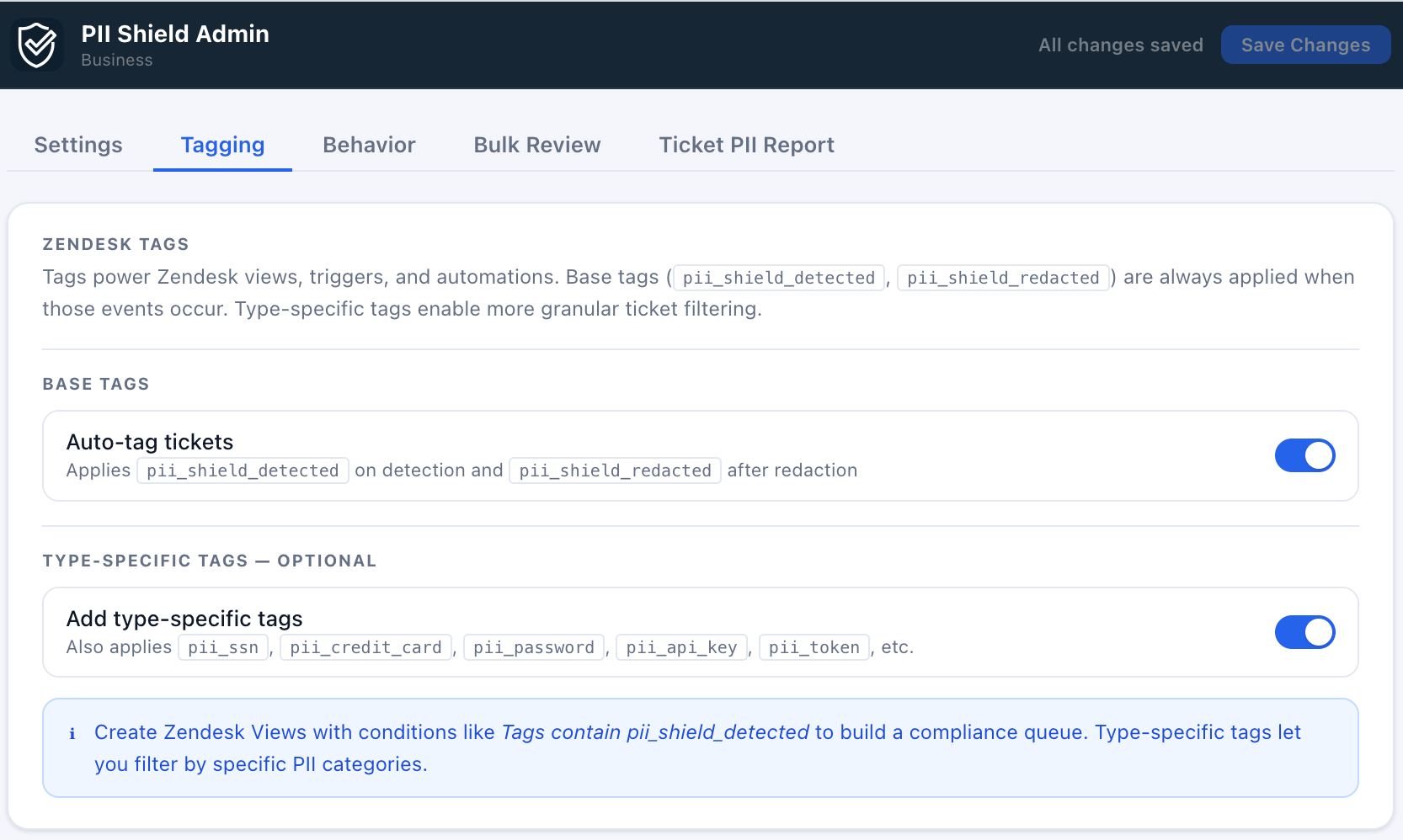
Tags help teams build Zendesk views and workflows around detected or redacted tickets.
Solve Blocking
Solve blocking can prevent a ticket from being solved while detected sensitive information is still present.
Teams can also allow documented overrides when a reviewer approves an exception.
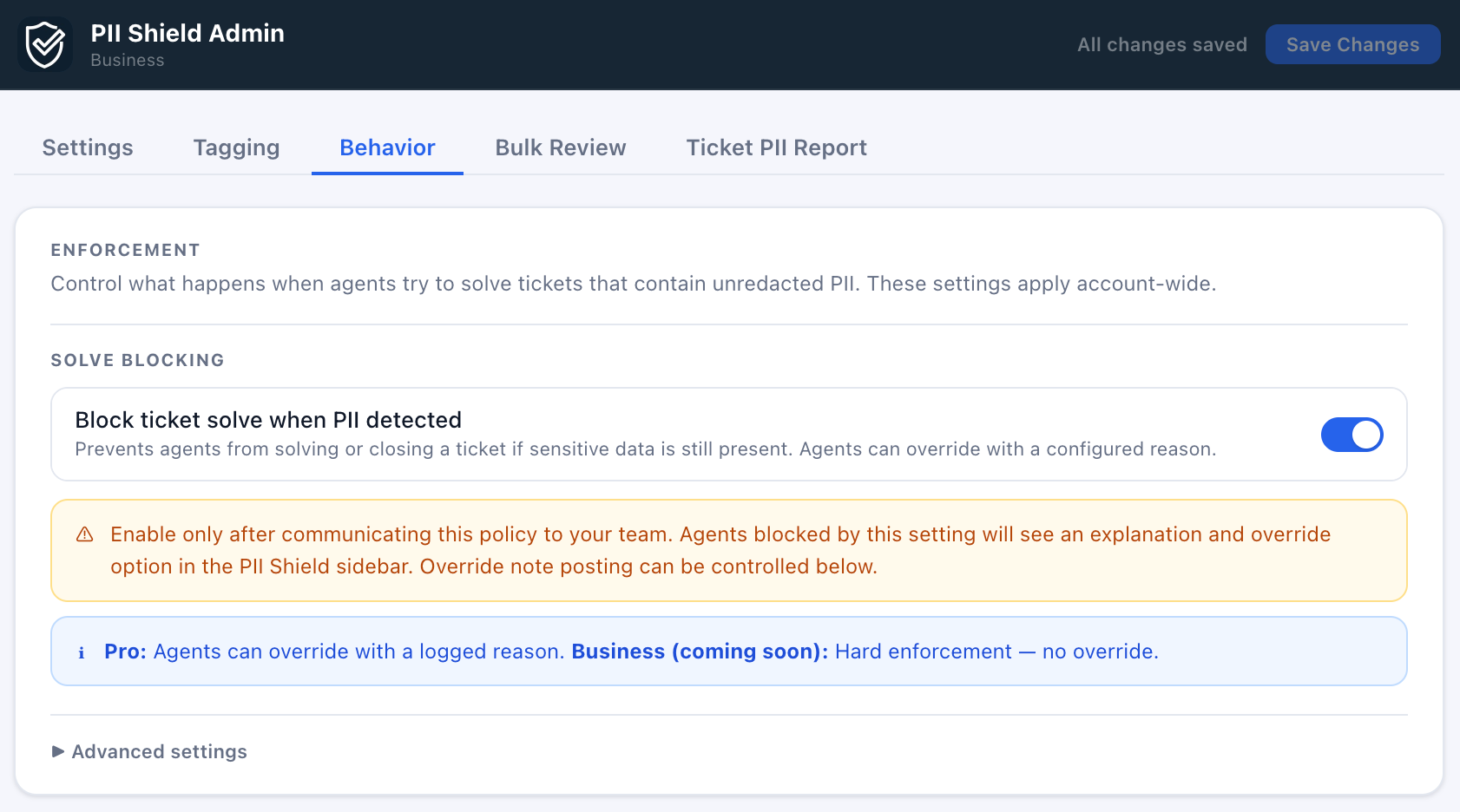
Configure solve blocking behavior, override policies, and review requirements from the admin experience.
When solve blocking is enabled, agents are notified before a ticket can be closed. If your organization's policy allows exceptions, agents can provide a documented override reason that is recorded directly on the ticket.
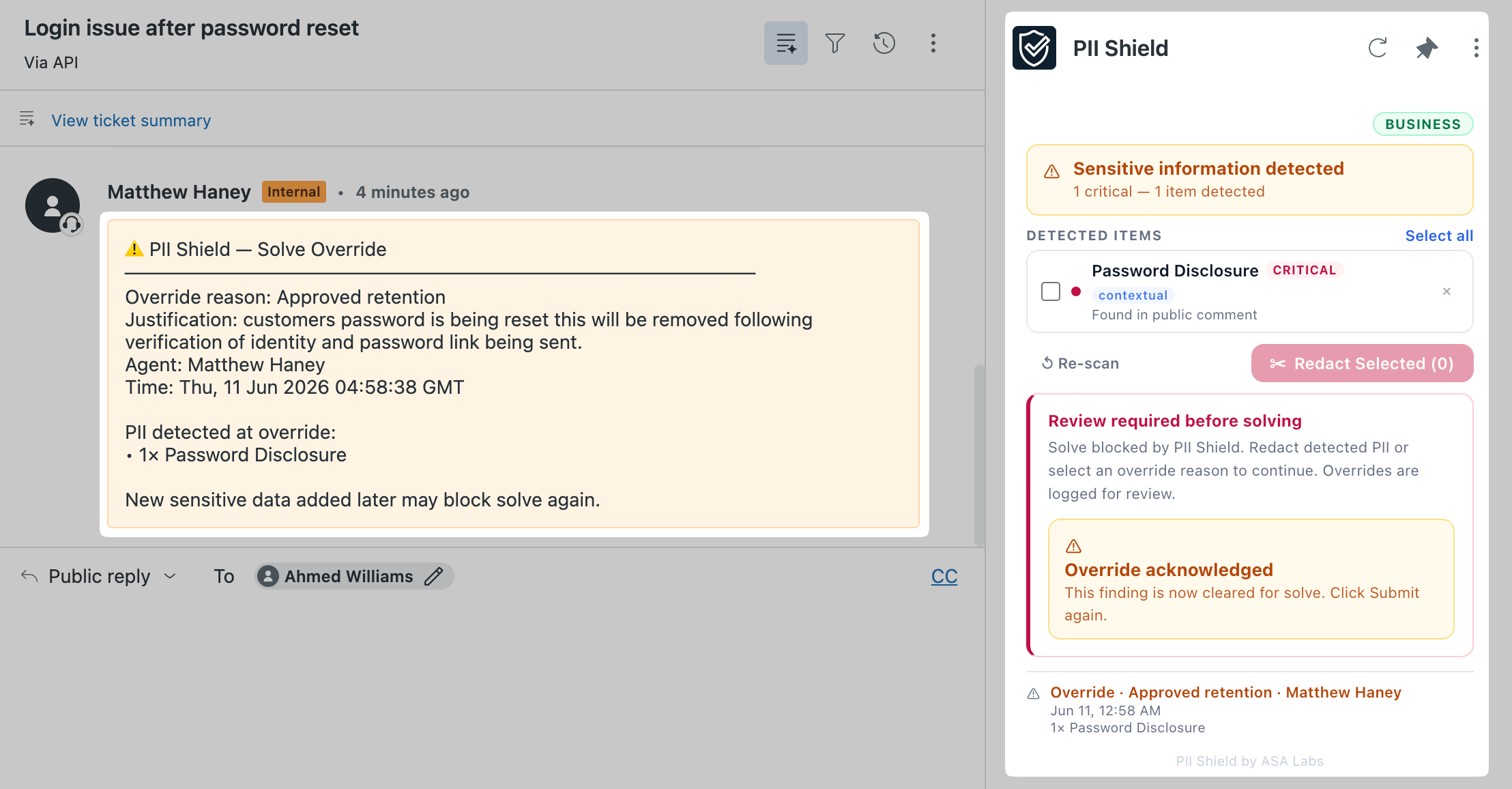
Approved overrides are recorded on the ticket with the reason, agent, time, and detected data type for future review.
Bulk Review
Bulk Review lets admins scan a bounded set of Zendesk tickets using the current detector settings.
Results can be reviewed before agents redact information directly in tickets.
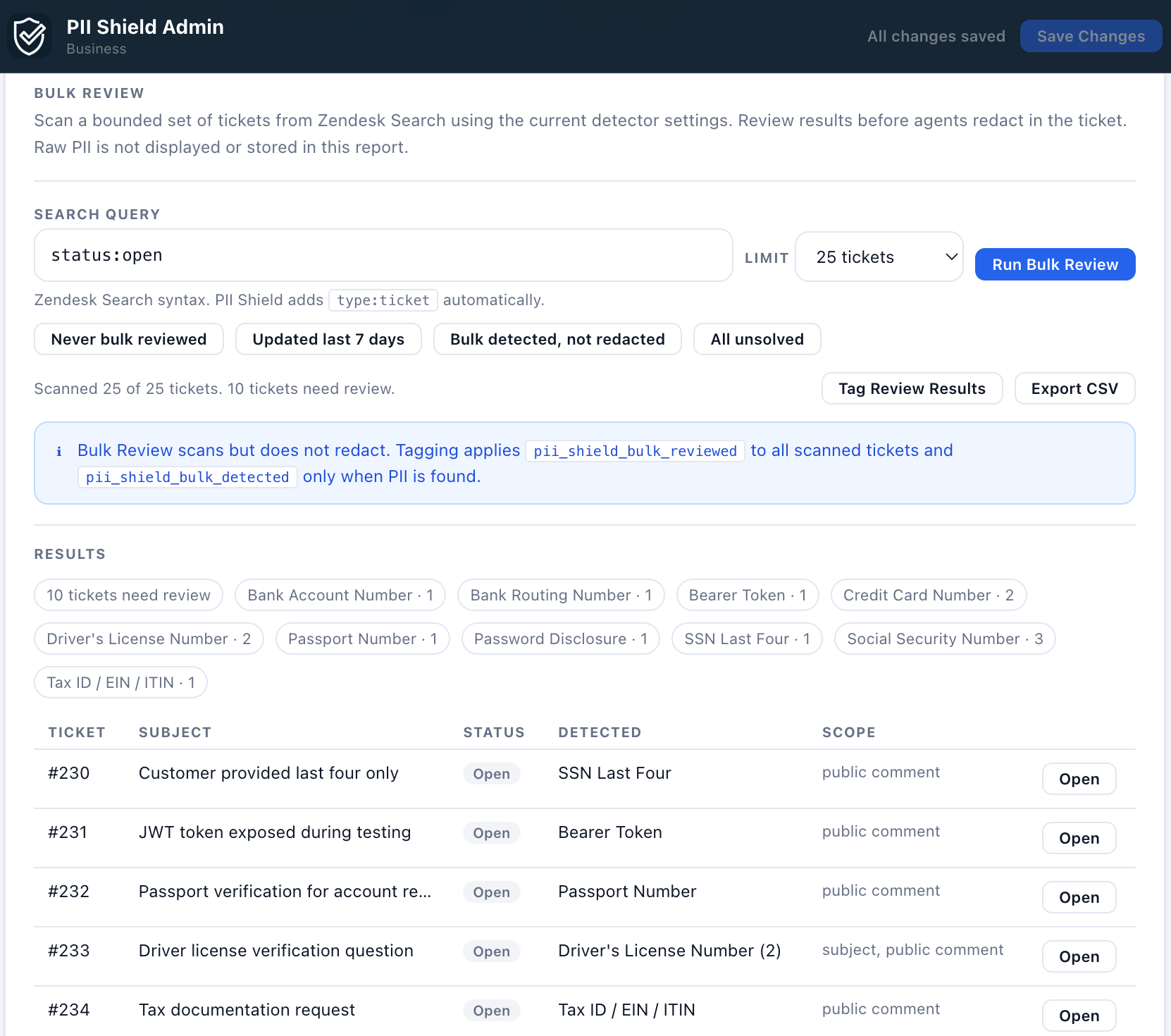
Bulk Review helps teams check older or recently updated tickets for sensitive information.
Frequently Asked Questions
Does PII Shield replace compliance programs?
No. PII Shield is a workflow tool and should be used alongside your organization's privacy, security, and compliance processes.
Does PII Shield send ticket content to external servers?
PII Shield is designed to process detection in Zendesk without requiring a separate external account or customer-managed server.
Can I choose which detectors are enabled?
Yes. Admins can choose which detector categories are active and adjust settings based on their team's workflow.
Does PII Shield automatically redact everything?
No. Redaction behavior depends on your configuration and workflow settings.
Can PII Shield scan old tickets?
Yes. Bulk Review can scan a defined set of Zendesk tickets using the active detector settings.