Build ticket-aware URLs
Use placeholders for ticket ID, requester email, org name, custom fields, brand, group, and more.
Quick Links lets admins build sidebar shortcuts that pull from the current ticket: requester email, ticket ID, org name, custom fields. Agents click once and land where they need to be.
Works with any URL-based tool: CRMs, billing systems, internal dashboards, Jira, risk tools, order management, fraud review. If it takes a URL, Quick Links can pre-fill it.
Free plan available. Pro at $2.00 per agent per month.
Overview
Most sidebar link apps support basic placeholders. Quick Links supports ticket fields, requester data, org data, brand, group, and custom fields. With group targeting so different teams see different links, and click tagging so you know when agents actually use them.
Admins configure it in settings. Agents see buttons in the sidebar. Nobody copies anything by hand.
Use placeholders for ticket ID, requester email, org name, custom fields, brand, group, and more.
Group targeting keeps billing links away from technical support agents and vice versa.
Optionally tag the ticket when a link is clicked so you can report on tool usage in Explore.
Screenshots
Agents see Quick Links in the Zendesk sidebar. Click a button, the tool opens in a new tab with context already applied. No pop-ups, no extra steps.
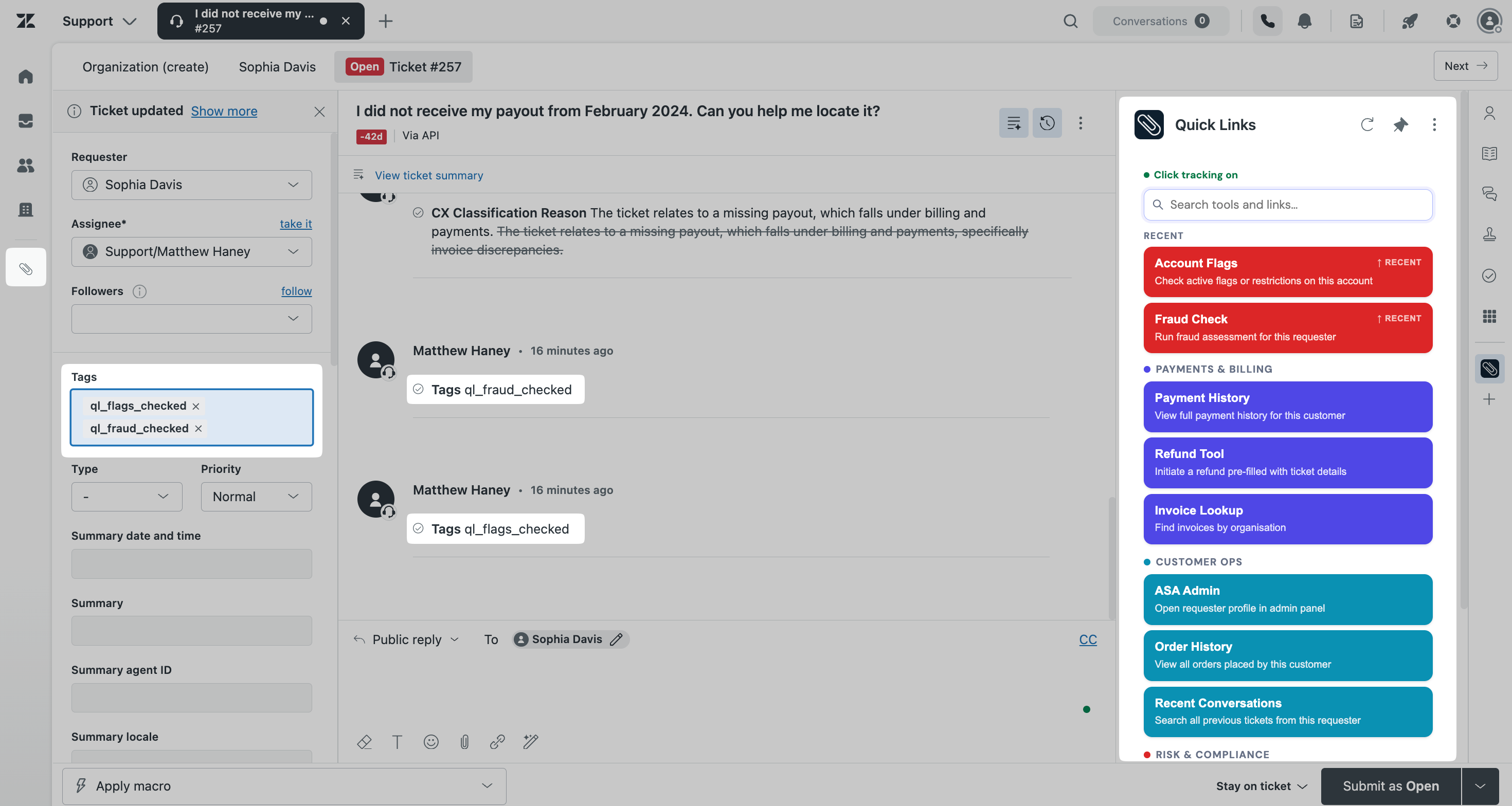
When click tracking is on, Quick Links adds a tag when an agent uses a link so you can see in Explore which tools are actually being opened.
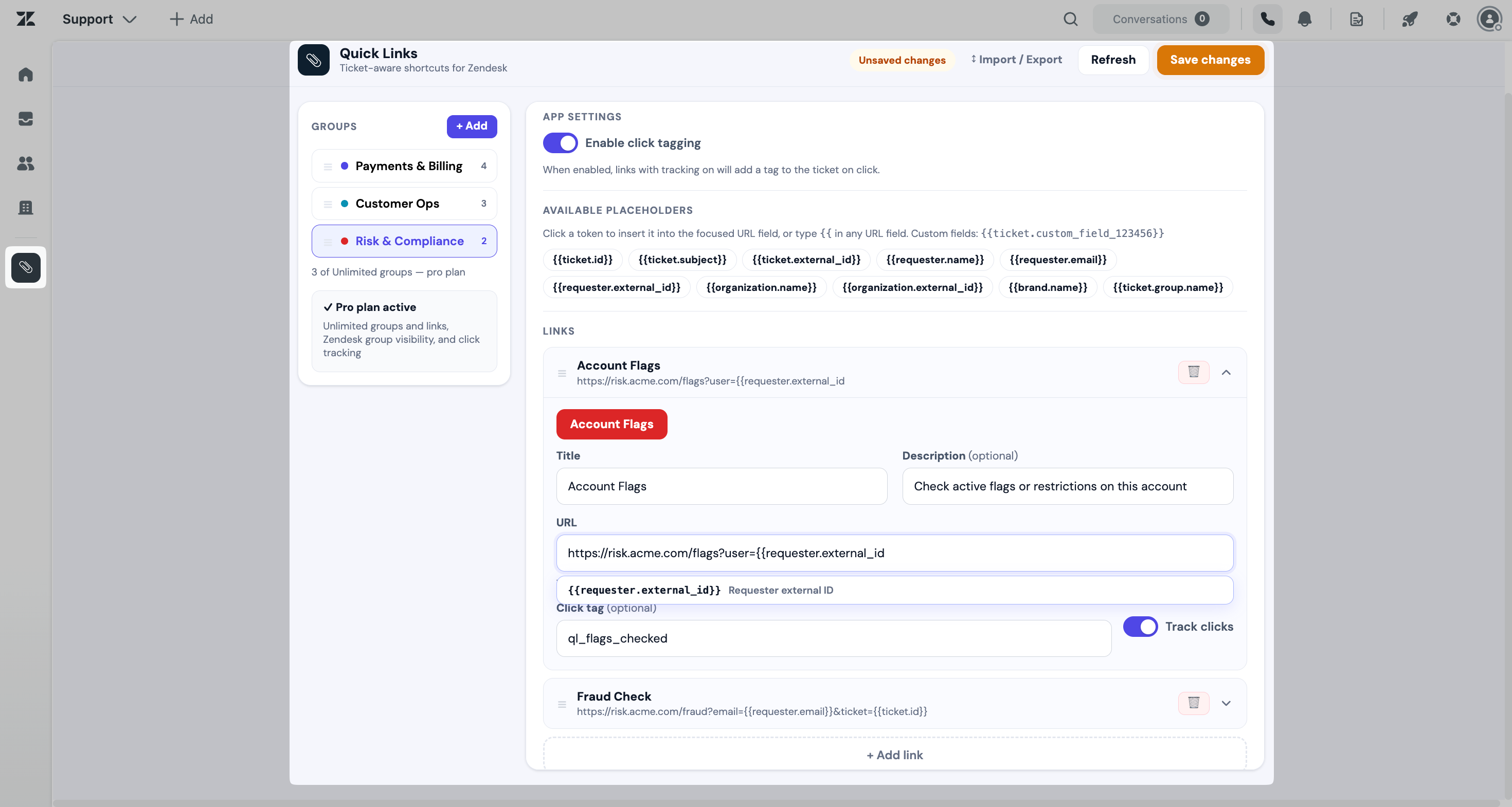
Organize links by workflow, set button colors per group, and control visibility by Zendesk group from the admin settings panel.
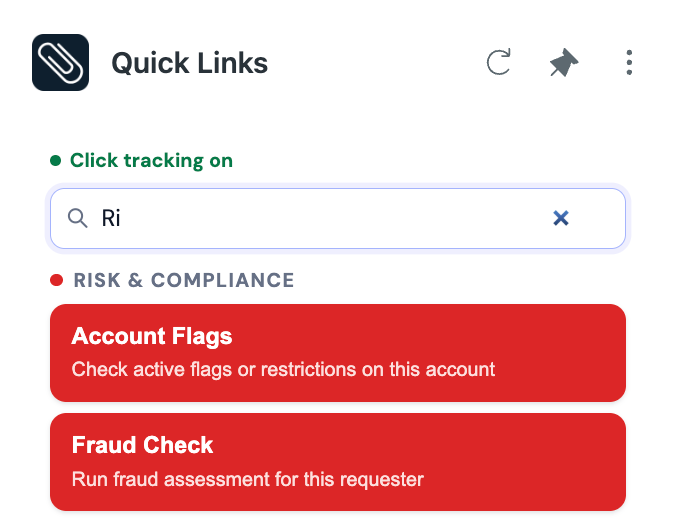
Agents can filter links directly from the sidebar. Useful for teams with large or varied link sets across multiple workflows.
Pricing
The free Lite plan covers individuals and small teams. Pro adds unlimited links, group targeting, click tagging, and import/export for teams that need the full setup.
For individuals and small teams getting started.
14-day free trial. For teams that need advanced workflows and control.
Questions about fit, volume, or a workflow you want to talk through before installing.
Get in touchUse the free Custom Field Placeholder Generator to find the correct placeholder syntax for your ticket, requester, and organization fields.
Generate field placeholdersPrivacy
Quick Links runs within the Zendesk App Framework. It accesses ticket data only to populate configured URL placeholders and support optional click tagging. Nothing is sent to an external ASA Labs server.
Quick Links does not sell customer data, use customer data for advertising, or share customer data with unauthorized third parties.
Contact
Have a question about Quick Links or another ASA Labs app? Send a note and we'll get back to you within one business day.
Prefer email? hello@asa-labs.com